Adding items to the game shop
Jump to navigation
Jump to search

Adding items to the game shop allows players to find items related to your game more easily.
A game developer can open the game shop anytime during the game to upsell an item.
Add Avatars, Backdrops, Toys, Pets, Images, Music and Videos to the Game Shop
- List your object in the shop.
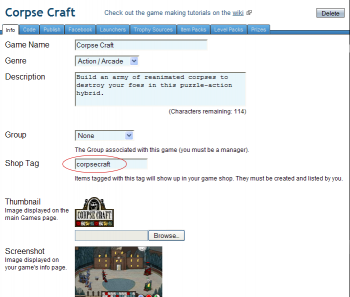
- In the Games tab → My Games → Edit Game's info tab of your game, create a "Shop Tag". The tag can consist of letters, numbers and underscores. In this case, we have added the Shop Tag of "corpsecraft" to the Corpse Craft game.
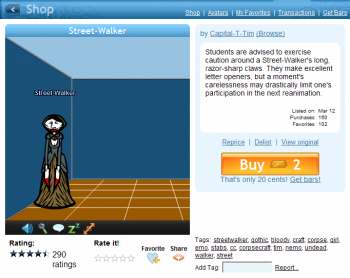
- In the shop details page of your item, add the same tag.
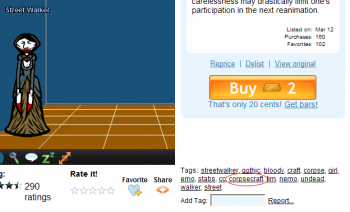
- Your object should now appear in your game shop.


In order for this to work, the lister of the avatar, backdrop, toy, pet, image, music or video must be the SAME as the lister of the game.
Add Game/Level Packs to the Game Shop
See this tutorial.